

Every few years someone says Boolean search is dead. Then you watch a recruiter type "nurse Houston" into a search bar and scroll through 4,000 results, and you realize it's very much alive.
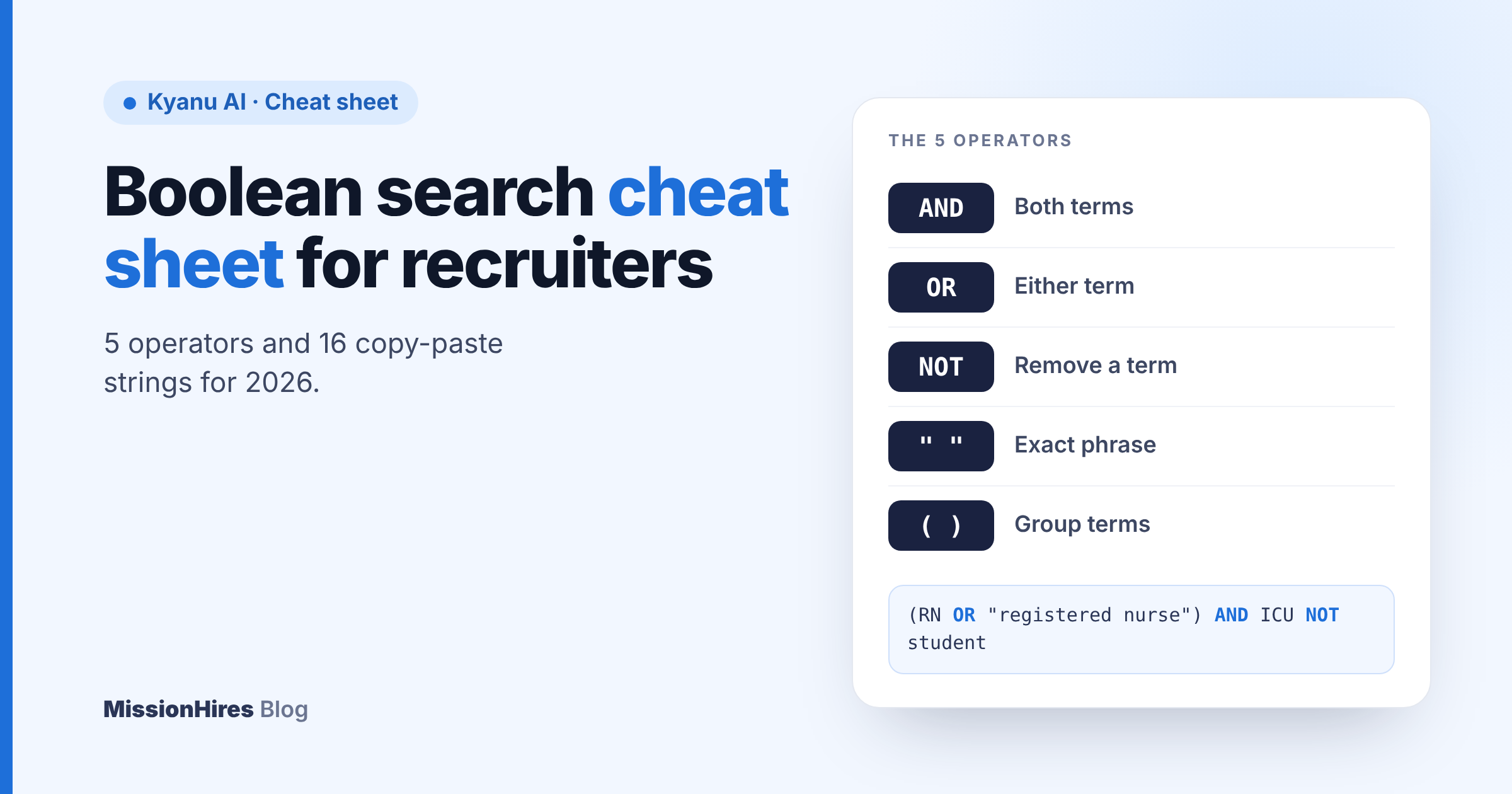
Boolean is just a way to tell a search engine exactly what you mean: this title or that one, this skill but not that one, this exact phrase. Five operators do almost all the work, and once you know them they work in LinkedIn, Google, most job boards and most ATSs.
This is the cheat sheet I wish I'd had when I started recruiting. Operators first, then copy-paste strings for the roles agencies fill most, then the mistakes that quietly kill your results.
The 5 operators you need
Write AND, OR and NOT in capital letters. Lowercase versions get treated as normal words.
LinkedIn and Google don't speak quite the same language
One thing that trips people up: paste a string from Word or Google Docs and the quotes often turn “curly”. LinkedIn can quietly ignore curly quotes, so your exact-phrase search stops being exact (100Hires). Paste into a plain text editor first, or retype the quotes.
LinkedIn also reads your string in a set order: quotes, then parentheses, then NOT, AND and OR. Wrap every OR list in parentheses and you'll never have to think about it.
Copy-paste strings by role
These are written for LinkedIn's search bar. For Google, add site:linkedin.com/in or a resume operator in front, and swap NOT for minus signs. Free LinkedIn accounts limit how many operators you can use in one search, so if a string fails, trim the longest OR list.
7 mistakes that quietly kill your results
- Lowercase operators. "nurse or RN" searches for the word "or". Always capitals.
- Missing parentheses. nurse OR RN AND ICU doesn't mean what you think. Write (nurse OR RN) AND ICU.
- Curly quotes. Pasted from a doc, they can break your exact phrases. Retype them.
- Too many ANDs. Every AND shrinks the pool. If you get 12 results, drop the least important requirement, not the most.
- Only one version of a title. People call the same job different things. "Customer success manager", "CSM" and "account manager" can all be the same person.
- Forgetting the obvious NOTs. Without NOT (intern OR student OR recruiter), a lot of your results are people studying the job or hiring for it.
- Searching for the job description, not the person. People write "managed a team of 12", not "strong leadership skills". Search the words candidates use on their profiles.
A good habit: start with titles only, check the count, then add one AND at a time. You'll see exactly which requirement shrinks the pool.
Or skip the Boolean
Here's the honest version. Boolean is a skill worth having, but building a string for every new req, testing it and fixing it takes time you could spend talking to candidates.
Kyanu AI is a Chrome extension that skips that step. Paste a public job post and it works out the search for you, sources candidates on Google, and puts a pre-qualification score against the job on every result. You see who fits before you click, with contact info in the same place.
Google sourcing is on every plan, including the free one.
Add Kyanu AI to Chrome, it's free
Save this page
Bookmark this cheat sheet and come back to it with every new req. Copy the closest string, swap in the titles and skills from your job, and start with fewer ANDs than you think you need.
Frequently asked questions
What is Boolean search in recruiting?
It's a way of combining keywords with AND, OR, NOT, quotes and parentheses to tell a search engine exactly which candidates you want. Recruiters use it on LinkedIn, Google, job boards and ATSs.
Does LinkedIn support Boolean search?
es. LinkedIn supports AND, OR, NOT, quotation marks and parentheses. The operators must be in capitals, and wildcards like * aren't supported.
What's the difference between Boolean search and X-ray search?
Boolean is the logic. X-ray search is pointing that logic at one website through Google, using site: (for example, site:linkedin.com/in or site:github.com).
Why is my Boolean string returning zero results?
Usually too many ANDs, a typo in a quoted phrase, or curly quotes pasted from a document. Remove one requirement at a time until results come back.